Auto-classified files
Uploads are assigned type, entity, fiscal year, program use, and downstream workflow so they do not sit in a generic folder.
§ Platform - CORE Workflow - Document Intelligence
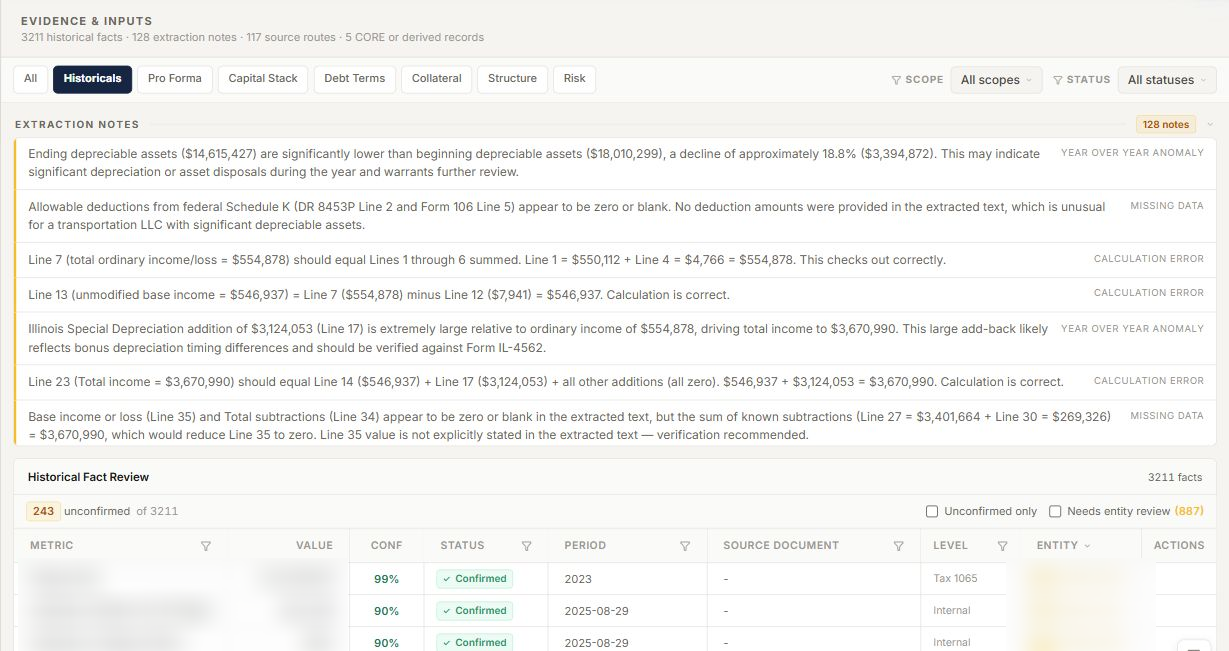
CORE turns borrower uploads, analyst uploads, bulk uploads, inbox attachments, project email, and legacy data rooms into one reviewed borrower file: classified documents, source spans, entity context, extracted facts, narrative findings, and analyst decisions in the same workflow.
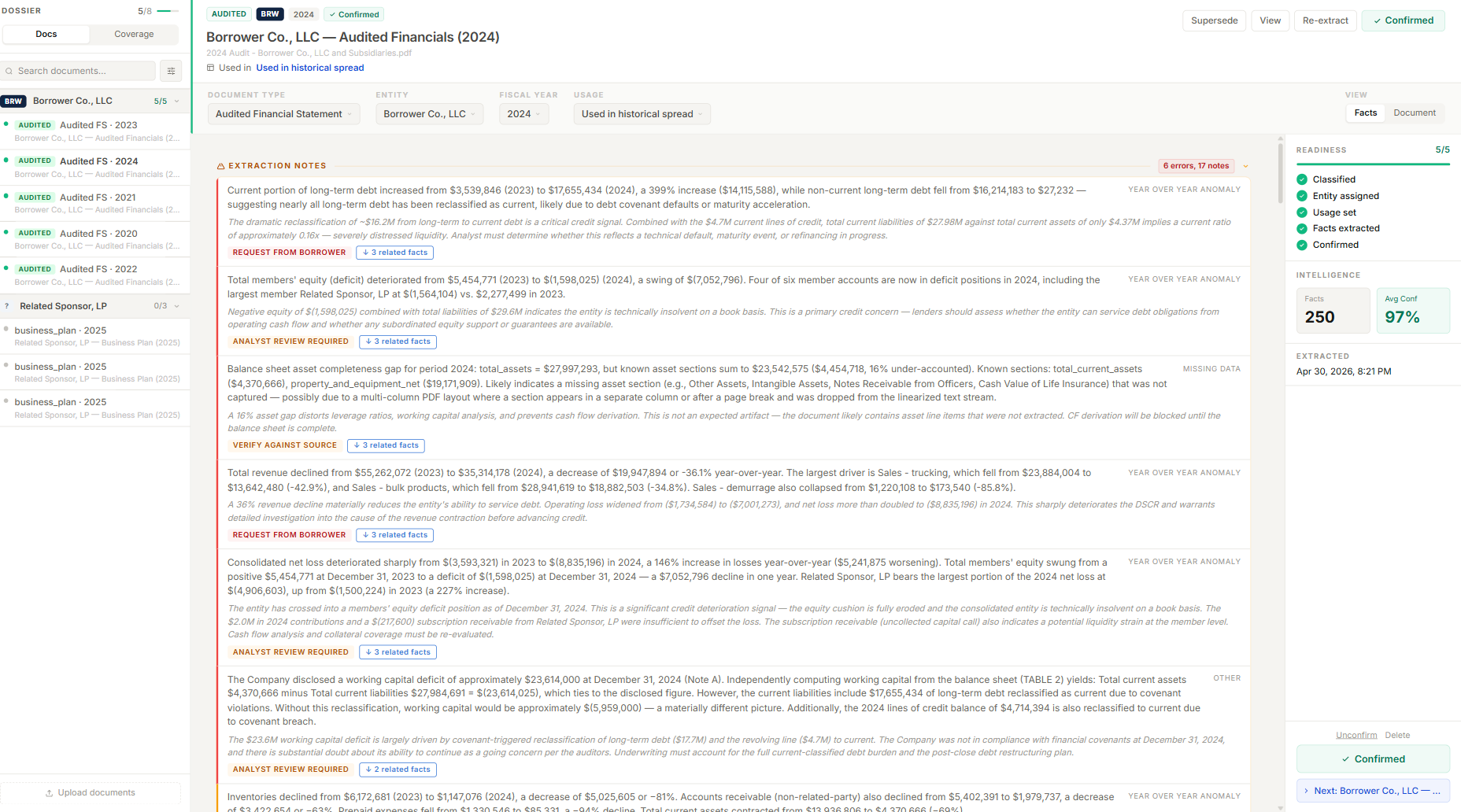
Analysts can see what CORE classified, which source produced each fact, what needs review, and where the fact will be used downstream. The borrower structure that appears across documents is assembled as reviewable context, not a second hidden system.
Real product surface, redacted§ Evidence Controls
Uploads are assigned type, entity, fiscal year, program use, and downstream workflow so they do not sit in a generic folder.
Extracted facts keep source lineage, confidence, related notes, and review state down to the page and span.
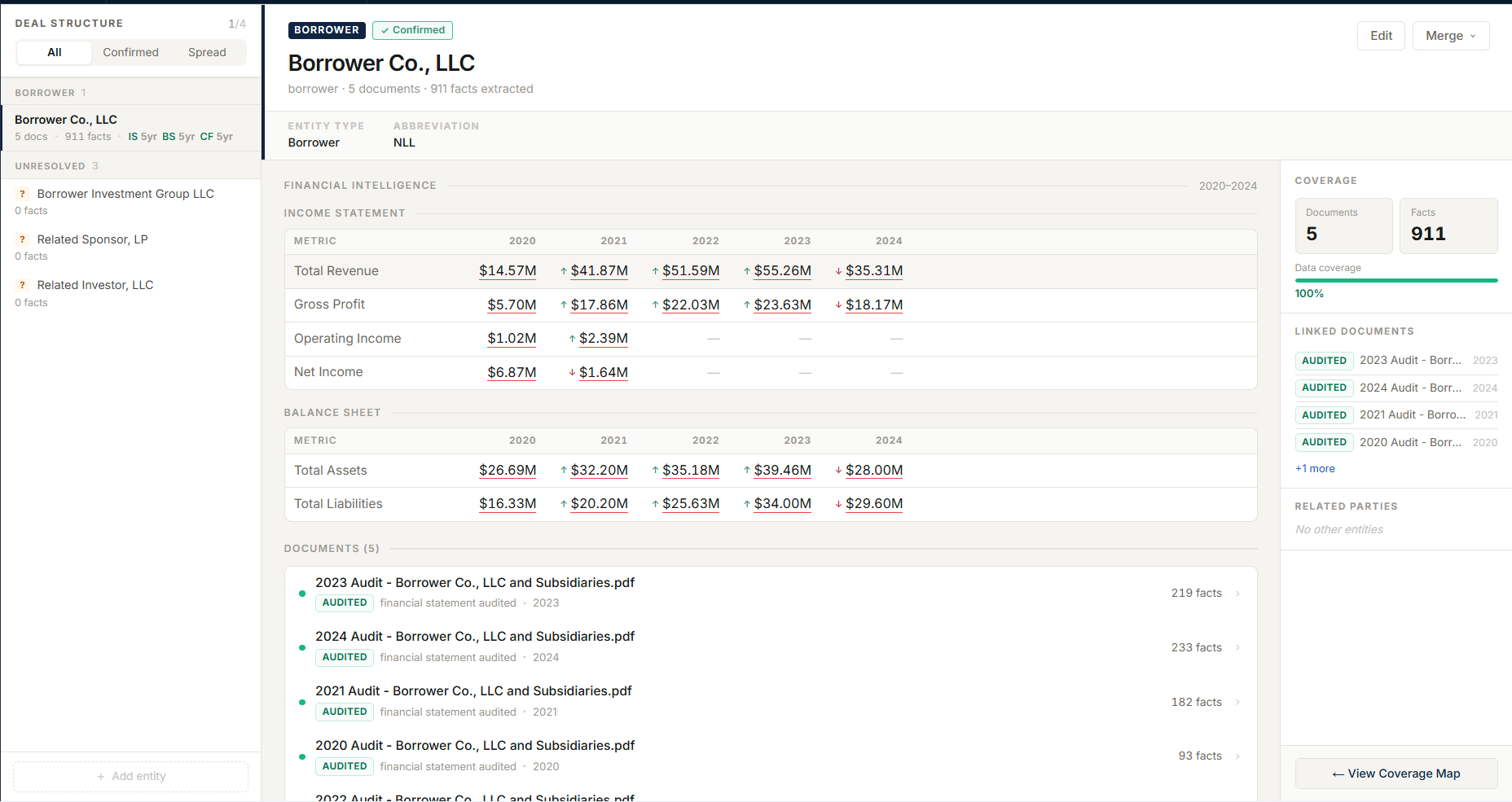
Borrowers, guarantors, affiliates, owners, projects, and aliases are assembled for analyst review before they shape underwriting.
The analyst confirms, supersedes, re-extracts, or rejects before the fact becomes credit evidence.
§ Fit
Files enter through the channels borrowers and analysts already use, then remain connected to reviewable credit evidence.
Borrower, analyst, and bulk uploads
Required-document collection, project email, and consolidated inbox
Document classification, metadata, and processing status
Narrative findings, source-linked facts, and review state
PDF/source split view
Borrower structure, aliases, and entity context for review
§ Path
Files enter through borrower upload, analyst upload, bulk upload, required-document collection, or project email.
CORE assigns document type, entity, fiscal year, downstream usage, and processing status.
Entity names, aliases, project parties, and document ownership are mapped into reviewable borrower context.
Facts and narrative findings are pulled with source lineage, confidence, and downstream routing.
The analyst accepts, supersedes, re-extracts, or rejects before evidence feeds spreads, policies, risk, or memo claims.
§ In Depth
Any modern tool can pull text and numbers out of a PDF. The questions that consume analyst time come after: which entity does this statement belong to, which fiscal year, is it the audit or the internal draft, and where should its contents be used downstream. CORE's classification assigns document type, entity, fiscal year, program use, and downstream workflow before an analyst has to hunt.
That is the difference between loan document extraction and loan document intelligence: the file arrives organized into the borrower's structure, not into a generic folder.
Every extracted fact keeps its source document, location, confidence, related notes, and review state — with a split view that shows the PDF beside the fact. When a number reaches a spread, a policy test, or a memo claim, the path back to the page it came from is preserved.
Borrowers, guarantors, affiliates, owners, projects, and aliases that appear across the document set are assembled as reviewable context. The analyst sees the structure CORE inferred and corrects it before it shapes underwriting — multi-entity complexity is handled in the open.
Extraction proposes; the analyst confirms, supersedes, re-extracts, or rejects. Only accepted evidence feeds spreading, policy analysis, risk work, and memo claims — which is what makes AI-assisted document processing defensible in a regulated or committee-reviewed credit file.
§ Next Step
We will walk through classification, extraction, and analyst review against that file shape.